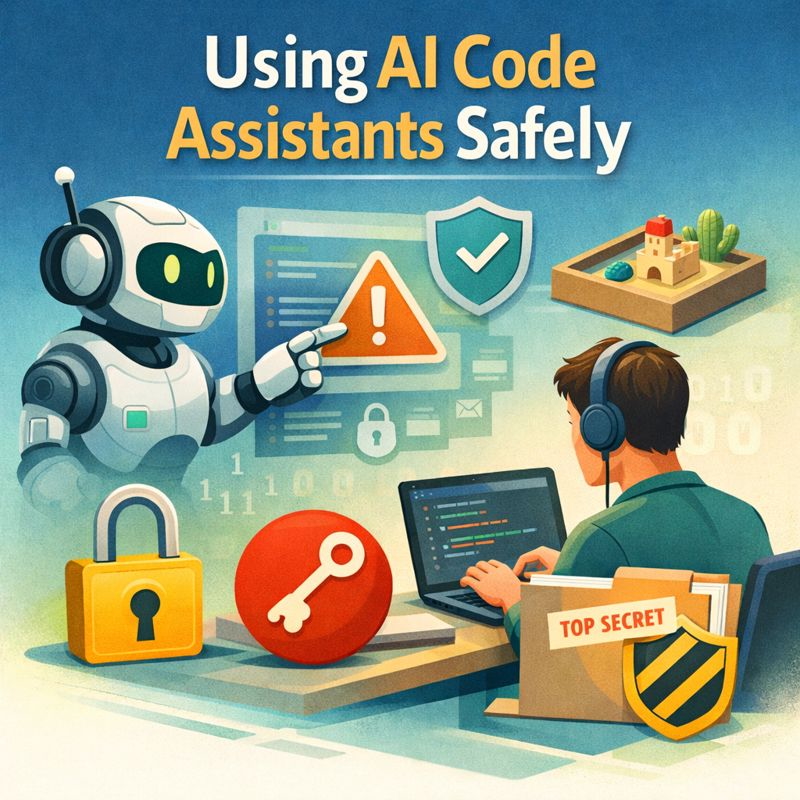
While polishing my publishing script, I managed to do the one thing I explicitly advise against: I committed a token to Git. It was in a comment. It was in a private repository. It was still, regrettably, committed.
What followed was not drama, but administration — rewriting history, checking remote branches, and searching old commits for fragments of the token to ensure it had truly vanished. It turns out that removing a secret from Git is rather more involved than removing a semicolon.
On balance, I would not recommend the experience.
It was, however, a useful reminder that secure workflows are not theoretical best practices. They are habits — and habits are most valuable when we are tired, moving quickly, or feeling slightly too confident.
Introduction
There is something very addictive about modern code assistants, and I find myself using them almost daily. The efficiency gains and faster prototyping are obvious on the surface.
What continues to amaze me is how well AI assistance understands what we want to implement, often from very small or loosely defined specifications.
You type a half-formed thought — “parse this CSV”, “add authentication”, “why does this crash?” — and suddenly there is structure, clarity, even elegance. For many of us, these tools feel less like machines and more like patient collaborators who never get tired of our questions.
But collaboration always comes with responsibility, and that’s what I want to talk about today.
This post is not about fear, nor about rejecting AI tools. It’s about using them well. Calmly. Thoughtfully. Safely. Because the moment we invite an assistant into our code, we also invite it into our habits, our workflows, and sometimes our secrets.
What This Post Covers
This is a practical guide based on real workflows. We’ll look at:
- How to use AI code assistants without leaking secrets
- Why Git and
.gitignorematter more than ever - How to sandbox AI-assisted experiments safely
- What to review before running AI-generated code
- Where the real risks are as AI tools move closer to production systems
Let me share what I’ve learned about keeping those secrets safe.
Why “Safe Use” Matters More Than Ever
Generative code assistants are fundamentally different from traditional development tools, and that difference matters.
A compiler doesn’t remember you. A linter doesn’t learn from your mistakes. But an AI assistant works by seeing patterns in context, which means it sees your patterns too: filenames, comments, configuration styles, coding conventions — and occasionally things you really wish it hadn’t seen at all.
The risk is rarely dramatic or sudden. It’s quiet and cumulative.
Consider these scenarios I’ve seen happen to colleagues:
- A
.envfile pasted into a chat window without thinking - A private API key left in a code snippet shared for debugging
- A production configuration copied into a prompt to ask about optimisation
- A Git repository with full history shared when only a single file was relevant
None of these looks dangerous in isolation. Together, they form habits of leakage that can compromise projects, organisations, and user trust.
The Habits
Good security is mostly about habits, not heroics. Let me walk you through the habits I’ve found most valuable.
1. Start With Version Control — and Use It Properly
If you use a generative coding assistant, you should be using version control. Full stop.
Tools like Git are not just about collaboration or backups. They are your safety net when experimenting with AI-generated code. They let you explore freely while knowing you can always return to solid ground. That psychological safety is invaluable when working with tools that can generate large amounts of code quickly.
This is why Git matters so much for AI-assisted or “vibe” coding. Git is no longer just for “serious” software development — it’s for anyone creating code with AI.
Commit Early, Commit Often — but Not Everything
A common mistake is treating Git as a dumping ground: “I’ll clean it later.” Later rarely comes.
Instead:
- Commit working states, not broken experiments
- Write commit messages that explain why a change was made
- Keep commits small and focused
- Use
git add -pto stage changes deliberately
AI encourages fast iteration. That’s great — as long as you can roll back when something goes wrong. Clean commits make it far easier to spot and undo problematic changes.
Use .gitignore Like You Mean It
Your .gitignore file is one of the most important security documents in your project.
At minimum, exclude:
- Environment files (
.env,.env.local,.env.production) - Credential files (
*.pem,*.key,*.crt,*.p12) - Local databases (
*.db,*.sqlite,*.sqlite3) - Temporary outputs (
*.log,*.tmp,dist/,build/) - Editor configs (
.vscode/,.idea/,*.swp,*~) - OS files (
.DS_Store,Thumbs.db) - Dependency caches (
node_modules/,__pycache__/,vendor/)
If you do only one thing after reading this post, review your .gitignore file slowly and intentionally. I do this quarterly and almost always find something that shouldn’t be tracked.
GitHub’s language-specific templates at
https://github.com/github/gitignore are excellent starting points, though they should always be customised.
2. Never Share Secrets — Not Even “Just Once”
This is the rule most people break accidentally. We just have to focus on what we are really doing right now and how the potentially sensitive information can be leaked.
What Counts as a Secret?
Not just passwords. The definition is broader than many people realise.
Secrets include:
- API keys and tokens (AWS, OpenAI, Stripe, etc.)
- OAuth credentials and refresh tokens
- SSH private keys and certificates
- Database connection strings (which often contain passwords)
- Internal URLs and service endpoints
- Private file paths that reveal system architecture
- Customer data or personally identifiable information
- Internal error logs that might contain sensitive context
- Session tokens and cookies
- Encryption keys and signing secrets
My rule of thumb: if it would make you uncomfortable seeing it on a public forum or in a screenshot someone might share, it should never enter an AI prompt.
Why This Matters With AI
When you paste content into a code assistant, you are copying it outside your local environment. Even when providers promise privacy and have strong security practices, it’s still good practice to assume:
Anything you paste could potentially leave your machine.
This mindset keeps you safe without requiring panic or avoiding these tools altogether. It’s about being thoughtful, not fearful.
I find it helpful to think of AI prompts as potentially public, much as I do with Git commits. Would I be comfortable if this prompt appeared in a security audit? If not, I need to sanitise it first.
3. Work Inside a Sandbox (Always)
One of the healthiest habits you can build is limiting the assistant’s reach, and I’ve found this makes working with AI tools much less stressful.
Stay Inside a Dedicated Directory
Never give an AI assistant access to your entire machine context or your home directory. This is a recipe for accidents.
Instead, I recommend:
- Work inside a single, well-defined project directory.
- Keep experiments in a /sandbox or /playground folder within that project.
- Avoid referencing system-wide paths or configurations.
- Avoid letting assistants scan your entire home directory.
- Use relative paths rather than absolute ones when possible.
If something goes wrong — say the assistant generates a destructive command — the damage stays contained to that one directory. This has saved me more than once.
Containers Are Your Friend
Using containers (for example, via Docker or Podman) adds a second layer of safety that I find invaluable:
- The code runs in isolation from your host system.
- Dependencies are explicit and version-controlled
- Nothing touches your host system unless you explicitly mount directories.
- You can destroy and recreate the environment easily.
- Different projects can use incompatible dependencies without conflict.
For AI-generated code — especially scripts you didn’t write yourself — this isolation is a wonderful safety measure. I typically create a simple Dockerfile for each project that defines the exact environment, and then I can experiment freely inside the container knowing that nothing can affect my actual system.
Here’s a simple example of a development container setup:
FROM python:3.11-slim
WORKDIR /app
COPY requirements.txt .
RUN pip install -r requirements.txt
4. Treat AI-Generated Code as Untrusted Input
This is a subtle but important mindset shift that has helped me avoid several potential issues.
AI-generated code is not bad. But it is unreviewed and comes from a source that doesn’t understand your specific security context or business requirements.
Read Before You Run
This seems obvious, but I know from experience that it’s tempting to just copy-paste and execute, especially when you’re in a flow state. Please resist that temptation.
Always:
- Read the code line by line, not just skim it.
- Check what files it creates, modifies, or deletes.
- Check what network calls it makes and to where
- Check what shell commands it executes
- Check what permissions it requests or changes.
- Verify that it follows your project’s security patterns.
If you don’t understand a part, stop and ask why — either ask yourself, look up the documentation, or ask the assistant to explain it. There’s no shame in not knowing something. The shame is in running code you don’t understand.
And you know, that AI-assisted coding is a great way to learn new programming languages, and master your skills in no time? You can ask your AI assistant to explain a function, and even discuss its possible optimisation, or how to do things differently.
Be Especially Careful With
- rm -rf or any recursive deletion
- chmod 777 or overly permissive file access
- Recursive operations on directories
- Database migrations or schema changes
- System calls that modify configuration.
- Anything that modifies user data or state
- Commands that download and execute remote scripts
- Operations that change user permissions or access control
Most mistakes don’t come from malice. They come from speed, from the pressure to move quickly, from fatigue. I find it helpful to take a breath before executing AI-generated code that does anything significant.
5. Use Feature Branches for AI Experiments
This is one of my favourite habits: never let AI work directly on the main or master branch.
Instead, I follow this pattern:
- Create a feature branch for each AI-assisted exploration (git checkout -b feature/csv-parser)
- Let the assistant help you explore and iterate
- Test thoroughly, clean up the code, and refactor as needed.
- Review everything yourself before merging.
- Merge only what you fully understand and have tested.
This removes so much pressure. You can be curious without being reckless. You can try things, make mistakes, and learn without risking your stable codebase.
Curiosity thrives in safe spaces, and feature branches create exactly that kind of space.
I also like using descriptive branch names that indicate AI involvement, like ai-experiment/authentication-flow or ai-refactor/error-handling. This helps me remember to be extra careful during code review.
6. Don’t Let AI Manage Credentials
If your assistant suggests something like:
API_KEY = "sk-123456..."
DATABASE_URL = "postgresql://user:password@localhost/db"
Pause. Take a breath. Don’t do this.
Instead, use proper credential management:
Use environment variables:
import os
API_KEY = os.getenv('API_KEY')
if not API_KEY:
    raise ValueError("API_KEY environment variable not set")
Use a secrets manager:
For production systems, consider using dedicated secrets management tools such as AWS Secrets Manager, HashiCorp Vault, or your cloud provider’s equivalent. These systems provide:
- Automatic rotation of credentials
- Audit logs of who accessed what
- Fine-grained access control
- Encrypted storage
Use .env files that are never committed: Create a .env.example file that shows the structure without real values:
API_KEY=your_api_key_here
DATABASE_URL=postgresql://user:pass@localhost/dbname
Then have developers copy this to .env and fill in real values locally. Make absolutely sure .env is in your .gitignore.
Your future self will thank you. So will your users, your security team, and anyone who has to maintain your code.
7. Be Careful With Logs and Error Messages
Debugging often means sharing logs, and I’ve seen this trip up many developers. Logs often contain secrets, and it’s easy to forget that when you’re focused on solving a problem.
Before pasting logs into an assistant, I go through this checklist:
- Remove or redact authentication tokens.
- Obfuscate user data (emails, names, IDs)
- Replace real values with placeholders (
, ) - Trim to the minimum context needed for the question.
- Check for embedded credentials in error traces.
- Look for internal URLs or service names you don’t want exposed.
I find it helpful to think of logs as documents that contain sensitive information, not just noise to paste quickly. Taking 30 seconds to clean a log can prevent a security incident.
For example, instead of pasting:
Error: Authentication failed for user john.doe@company.com using token sk-abc123xyz
I sanitise it to:
Error: Authentication failed for user <USER_EMAIL> using token <API_TOKEN>
This preserves the structure of the error while protecting the sensitive details.
8. Understand the Tool You’re Using
Different assistants behave differently, and I think it’s important to understand the tool you’re inviting into your development workflow.
Some stores store conversation history on their servers. Some allow you to opt out. Some integrate deeply with your editor or filesystem. Some use your code to improve their models, while others don’t.
Before using a tool extensively, I encourage you to ask:
- Where is my data sent? (Local processing vs. cloud)
- Is conversation history stored? For how long?
- Can history be disabled or deleted?
- Can file access be limited to specific directories?
- Is my code used for model training?
- What happens to my data if I delete my account?
- What are the privacy policies and terms of service?
- Are there enterprise or privacy-focused tiers available?
You don’t need to read every policy line — but you should know the general shape of the system you’re inviting into your workflow. I usually spend 15-20 minutes researching a new AI tool before using it seriously.
For example, GitHub Copilot offers a business tier that doesn’t train on your code. Claude Code can be configured to work locally. Cursor has privacy modes. Knowing these options helps you make informed choices.
9. Avoid Copy-Paste Programming in Sensitive Areas
Authentication, encryption, permissions, billing, payments — these deserve extra care and attention. These are not areas where you want to move fast and break things.
AI can help you understand security patterns and learn from good examples, but I strongly recommend:
- Always verify against official documentation (not just AI suggestions)
- Prefer well-maintained, widely-used security libraries over custom implementations.
- Avoid rolling your own cryptography or authentication logic.
- Ask why something is done a certain way, not just how
- Consult with security-focused colleagues when available.
- Review security-critical code with extra scrutiny.
- Test security implementations thoroughly
Security is rarely the place for shortcuts or experiments. When I use AI assistants for security-related code, I treat their suggestions as starting points for research, not final answers.
For example, if an AI suggests an authentication implementation, I’ll:
- Understand the approach it’s recommending.
- Look up the official documentation for the libraries involved.
- Check if there are known security issues or better practices.
- Review similar implementations in production systems.
- Test edge cases and failure modes thoroughly
This might seem slow, but security mistakes can be devastating and expensive to fix later.
10. Teach These Habits Early
If you work with students, junior developers, or colleagues new to AI coding assistants, I encourage you to share these habits gently and with context.
Not as strict rules to be enforced. As stories and experiences to learn from.
Try framing things like:
- “Here’s why I never paste .env files into prompts — I once saw a project where…”
- “Here’s how I sandbox experiments in containers, and it saved me when…”
- “Here’s a mistake I made early on with API keys, and what I learned…”
- “Let me show you my workflow for reviewing AI-generated code…”
Safety practices spread through example and storytelling, not through enforcement or fear. I find that when I explain why I do something and share the experience that taught me, people are much more likely to adopt the practice themselves.
11. Remember: Tool Quality Matters Too
Even though you might introduce all the security practices I’ve described — keeping your secrets safe, setting up sandboxes, reviewing code carefully — remember that the security and safety of your setup also depends quite a bit on the quality of the tools you’re using.
As we learned from my previous post about Claude Code’s security vulnerability, even large, well-funded AI development companies can have security issues. The Claude Code tool was found to ignore .claudeignore and .gitignore files, potentially reading sensitive files it shouldn’t have accessed.
This isn’t meant to scare you away from these tools. Rather, I want to encourage you to:
- Stay informed about security issues in the tools you use
- Subscribe to security advisories for your AI assistants.
- Check release notes for security fixes.
- Report issues you discover to the developers.
- Consider using multiple tools, so you’re not dependent on just one.
- Participate in or follow security discussions in the tool’s community.
I keep a simple spreadsheet of the AI tools I use regularly, with links to their security pages, privacy policies, and known issues. I review this quarterly, which takes about 30 minutes and helps me stay aware of changes and concerns.
The developers of these tools generally want to build safe, trustworthy products. But they can only fix issues they know about, and they can only communicate risks if users are paying attention.
A Gentle Closing Thought
Generative code assistants are here to stay, and I genuinely think that’s a good thing for our field and for developers at every level.
They help us think, learn, and build faster than ever before. They make programming more accessible. They help us explore ideas we might not have tried otherwise. But speed amplifies habits — both good and bad — and that’s something we need to be mindful of.
Using these tools safely doesn’t mean being afraid or overly cautious to the point of avoiding them. It means being intentional about how we integrate them into our work.
And intention, like good code, is something you refine over time through practice and reflection.
I hope these practices help you work more confidently with AI coding assistants. If you have additional safety practices you’ve found helpful, or if you’ve learned lessons from mistakes (as I certainly have), I’d love to hear about them.
Did you like this post? Please let me know if you have any comments or suggestions.
Best regards,
Elena
