Elena' s AI Blog

I have cloned my git repository and landed on main. How to get your branch

03 Oct 2025 (updated: 02 May 2026) / 4 minutes to read

Elena Daehnhardt


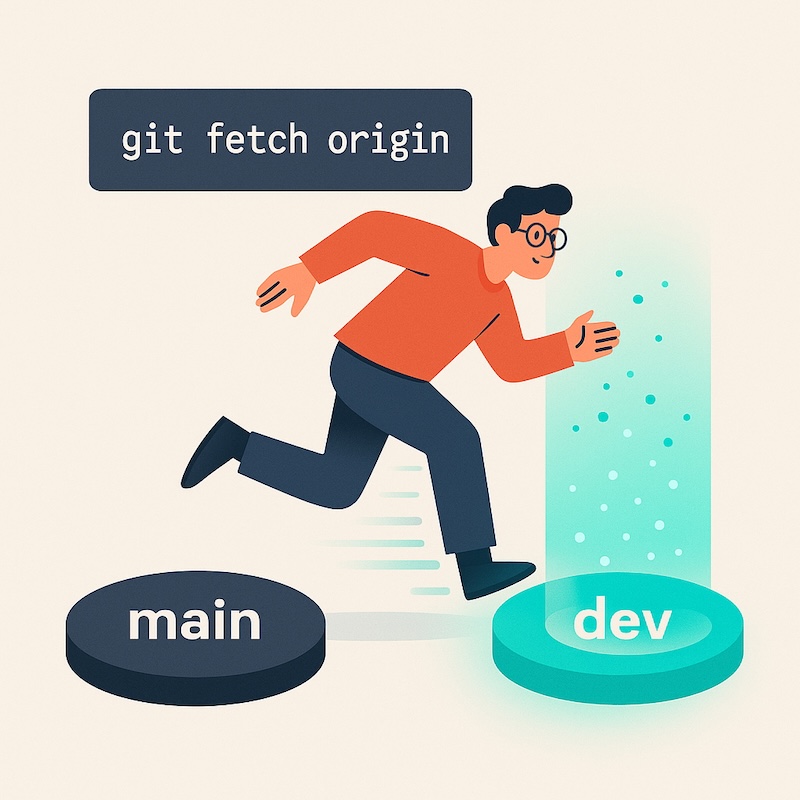
DALL·E / OpenAI’s image model inside ChatGPT 5.0: A flat-style digital illustration depicts a software developer transitioning from the 'main' branch to the 'dev' branch using the command ‘git fetch origin’, displayed in a clean, digital flat art style with a light beige background. The developer, depicted with black hair, glasses, and casual attire, steps from a dark grey platform labelled ‘main’ towards a glowing turquoise ‘dev’ platform, while a teleportation effect reinforces the shift between the two branches.

If you click an affiliate link and subsequently make a purchase, I will earn a small commission at no additional cost (you pay nothing extra). This is important for promoting tools I like and supporting my blogging.

I thoroughly check the affiliated products' functionality and use them myself to ensure high-quality content for my readers. Thank you very much for motivating me to write.


TL;DR:
  • A cheat sheet for navigating remote branches after a fresh clone. Learn why 'git fetch origin' is necessary and how to safely switch and stash branches.

Previous: Part 12 — Git Failed to Push Some Refs

Next: Part 18 — Should you use rebase?

Introduction

Cloning a repository is exciting — new code, new adventure.
But sometimes Git drops you straight onto main when you really wanted that shiny dev branch.

      Remote (origin)          Local
    ------------------      ------------
    origin/main             main  ← default after clone
    origin/dev      ---->   dev   ← your new branch

No worries. Here’s the quick rescue plan.

The Critical Step: Fetching Origin

First, tell Git to look for other branches on the remote:

git fetch origin

👉 This is the magic unlock: it updates your local repository with all branches that exist on the remote (like dev, feature-x, etc.). Without it, your local machine doesn’t even know those remote branches exist.

Git Concept Architectural Explanation
Cloning Limitations Cloning downloads the repository history but only fully maps and checks out the default branch (usually main or master).
The Role of fetch git fetch origin securely downloads remote branch pointers and commits without modifying your current working directory files.
The Result Once fetched, your local Git index is aware of origin/dev, allowing you to switch to it seamlessly.

Branch Navigation Cheat Sheet

Now that Git is aware of the remote branches, you can freely navigate. Here are the core commands you need:

Command Action Explanation
git switch dev Switch Branch Moves your working directory to the dev branch. (Note: The older git checkout -b dev origin/dev works identically but is less intuitive).
git pull Synchronise Pulls down the latest updates from the remote to ensure your local dev branch is completely synchronised.
git stash Save Work If you have uncommitted changes on main that you don’t want to lose, this temporarily shelves them.
git stash pop Restore Work Once you have switched to the correct branch, this command reinstates your shelved changes.

Done. No tears, no confusion — just smooth Git moves. 🚀

Related tools you may want to try next.

B12.io Recently, I have found an AI-powered platform that enables you to create professional websites, pages, posts, and emails with ease. I will also give it a try and soon write a new post about B12.io (I am working on my coding post at the moment :).

Wrap-up

That’s it — a simple way to jump from main to where the real work lives. Remember: git fetch origin is your secret handshake to see all remote branches. Next time you clone and panic, you’ll know exactly what to do :)

Did you like this post? Please let me know if you have any comments or suggestions.

Git posts that might be interesting for you


desktop bg dark

About Elena

Elena, a PhD in Computer Science, simplifies AI concepts and helps you use machine learning.


Citation
Elena Daehnhardt. (2025) 'I have cloned my git repository and landed on main. How to get your branch', daehnhardt.com, 03 October 2025. Available at: https://daehnhardt.com/blog/2025/10/03/i-have-cloned-my-git-repository-and-landed-on-main-how-to-get-your-branch/
All Posts