Elena' s AI Blog

CLI

The command-line interface (CLI) is a text-based way to interact with software by typing commands rather than clicking buttons. On this site, the CLI tag focuses on modern developer workflows built around the terminal — including AI-powered tools, coding agents, automation, scripting, and practices that prioritise control, transparency, and efficiency.

Codex CLI Part 4: Advanced Operations, Troubleshooting, and Team Patterns


Part 4 closes the Codex CLI series with advanced operational patterns: non-interactive automation, permission strategy, troubleshooting playbooks, and team-level standards for reliable adoption.

Codex CLI Part 3: Practical Workflows for Blogging and Python Development


A practical, high-depth guide to using Codex CLI for blog editing and Python delivery: review loops, safe refactoring, debugging, and non-interactive automation with explicit guardrails.

Codex CLI Part 2 — Security Controls & Safe Editing


Learn how Codex CLI balances permissions and approvals to keep you in control. Master essential commands like /diff and /review, understand the three security modes, and make your first safe code edits with full visibility.

Getting Started with Codex CLI


Learn what Codex CLI is, how to install it on Mac, Linux, and Windows, and take your first steps with this AI coding assistant that runs in your terminal.

Gemini CLI versus Claude CLI


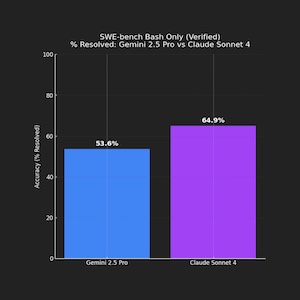
This blog post is about Gemini CLI and Claude CLI, their installation, usage, privacy, and effectiveness — with some ideas to help you choose the right AI tool for your terminal.